

Artificial intelligence is changing software development faster than many expected. AI tools can now generate code, explain complex functions, detect bugs, write tests, create documentation, and even help developers build complete applications from natural-language instructions. This naturally raises an important question: Can AI actually replace developers?
The short answer is that AI can replace some development tasks, but it is much harder to replace the developer who understands the product, business requirements, users, and overall system.
The future is therefore less about “AI vs Developers” and more about “AI + Developers.”
What Can AI Already Replace?
AI is particularly effective at repetitive, predictable, and well-defined programming tasks.
1. Boilerplate Code
Developers spend considerable time writing repetitive code such as CRUD operations, standard API structures, configuration files, data models, and basic UI components.
AI coding assistants can generate much of this code from simple instructions. Instead of manually creating dozens of similar functions, a developer can describe what is required and let AI produce the first version.
This does not necessarily eliminate the developer. Instead, it changes the developer’s role from typing every line of code to reviewing, testing, and improving AI-generated code.
2. Debugging and Error Detection
AI can analyse error messages, inspect code, identify potential bugs, and suggest fixes. It can also explain why a particular piece of code is failing.
For straightforward errors, AI can sometimes provide an immediate solution. Developers can therefore spend less time searching through documentation and forums and more time working on higher-value engineering decisions.
3. Testing and Documentation
AI is also useful for generating unit tests, test cases, comments, technical documentation, and code explanations.
For example, an AI system can examine a function and suggest different scenarios that should be tested. Developers still need to verify whether those tests represent real-world requirements, but the initial workload can be dramatically reduced.
AI Agents Are Taking This Further
The biggest change is the rise of AI agents.
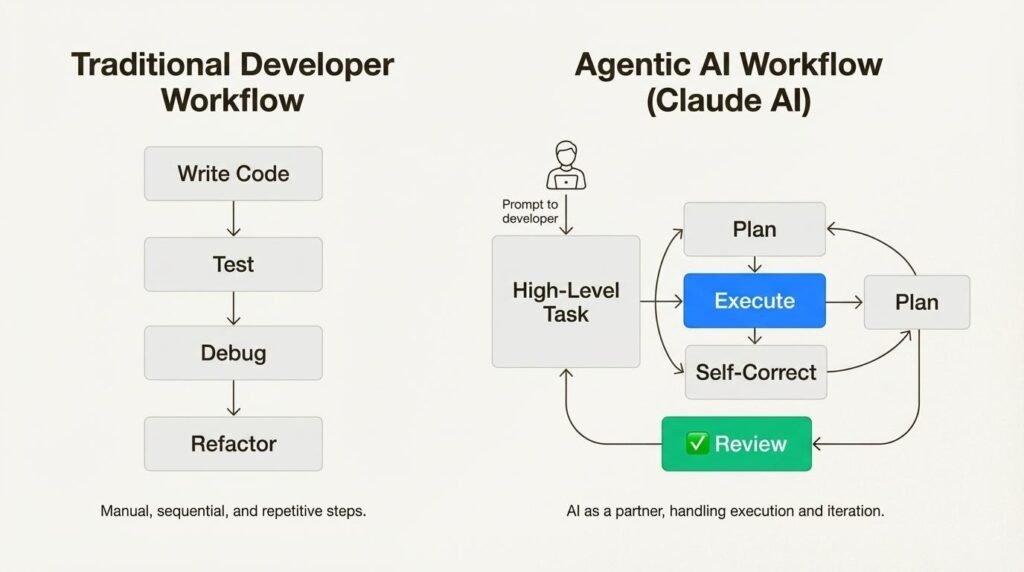
Traditional AI coding assistants generally respond to individual instructions. AI agents can go further by planning multiple steps, using development tools, modifying files, running tests, analysing errors, and iterating on their work.
Platforms such as Cursor, GitHub Copilot, Claude Code, Replit, and similar agentic development environments are moving software development toward a workflow where developers can delegate larger portions of implementation.
For example, instead of saying:
“Write this function.”
A developer might instruct an AI agent:
“Build the authentication module, connect it to the database, create tests, run the test suite, identify failures, and fix them.”
The agent can potentially handle multiple stages of that workflow.
However, delegating implementation is not the same as delegating responsibility. A human still needs to define the desired outcome, evaluate architectural decisions, review security implications, and determine whether the final product actually solves the problem.
What AI Struggles to Replace
There are several areas where experienced developers remain extremely valuable.
Strategic Decision-Making
AI can suggest solutions, but deciding which solution is appropriate requires context.
Should a company build a custom system or use an existing SaaS product? Should an application prioritise performance, cost, scalability, or speed of development?
These decisions involve business constraints that may not exist in the code itself.
System Architecture
Large software systems involve databases, APIs, cloud infrastructure, security, integrations, scalability, and reliability.
AI can recommend architectures, but experienced engineers need to evaluate trade-offs and understand how decisions made today may affect the system years later.
Security and Reliability
AI-generated code can contain vulnerabilities, incorrect assumptions, or inefficient implementations. Developers must review AI output rather than blindly deploying it.
Human expertise remains particularly important for authentication, authorisation, sensitive data, financial systems, infrastructure, and other high-risk environments.
Understanding the User
Software development isn’t simply about producing code.
A successful product requires understanding what users actually need.
AI can analyze requirements and generate implementation ideas, but humans remain responsible for understanding customers, stakeholders, organisational goals, and real-world constraints.
The Developer Is Becoming an AI-Powered Builder
The most realistic future is not one where developers disappear. It is one where developers become AI-powered builders.
A developer using an AI agent can potentially move through the development lifecycle much faster:
This means one developer may be able to accomplish work that previously required a larger team for certain types of projects.
The advantage will increasingly belong to developers who know how to direct AI effectively, verify its output, understand software fundamentals, and make good engineering decisions.
AI vs Developers: The Real Difference
| Task | AI Capability | Human Developer |
| Boilerplate code | Very High | High |
| Code generation | Very High | Very High |
| Debugging assistance | High | Very High |
| Testing | High | Very High |
| Documentation | Very High | High |
| Architecture | Medium–High | Very High |
| Business understanding | Limited | Very High |
| Product strategy | Limited | Very High |
| Accountability | Limited | Very High |
| Creative problem-solving | Medium | Very High |
Where AI assistance is strongest in software development
Illustrative capability comparison showing that AI is strongest at repetitive and well-defined development tasks, while human developers remain essential for strategy, architecture, and accountability.
0255075100Boilerplate codeTestingArchitectureBusiness understanding
Illustrative comparison, not measured industry data.
The Future: Developers Who Use AI
The biggest threat may not be AI replacing developers. It may be AI-enabled developers becoming significantly more productive than developers who refuse to use AI.
An experienced developer with strong fundamentals and an AI agent can combine human judgment with machine speed. AI handles repetitive implementation, while the developer focuses on architecture, product thinking, quality, security, and innovation.
This creates a new type of professional: the AI-native developer.
The winning formula is therefore not:
AI vs Developer
It is:
Developer + AI Agent = Faster, Smarter Software Development
AI will continue to automate portions of programming. Some traditional development roles and repetitive tasks may shrink as these systems improve. But software engineering involves far more than writing code.
AI can generate code. Developers create solutions.
And in the coming years, the developers who learn to effectively collaborate with AI agents may become the most valuable builders in the technology industry.
How AI Is Making Developers 10x More Productive
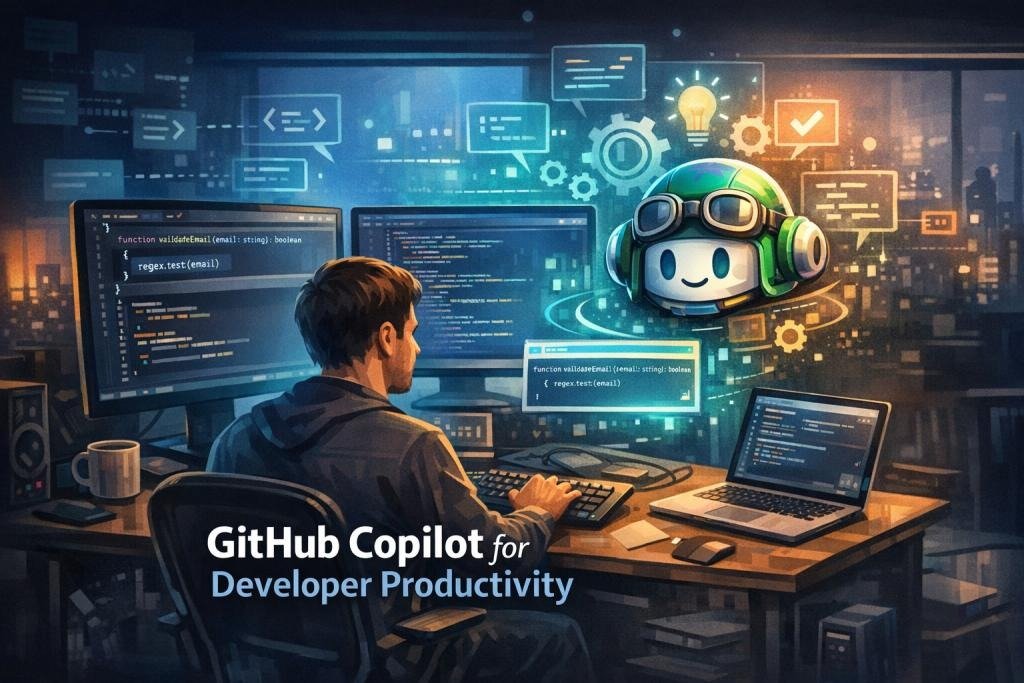
Artificial intelligence is changing software development from a task-by-task coding process into a faster, AI-assisted engineering workflow. Developers are no longer using AI only to autocomplete a few lines of code—they can now use AI to write, explain, test, debug, refactor, document, and review software.
The idea of a “10x developer” is therefore becoming less about typing ten times faster and more about achieving significantly more impact with the same amount of time.
From Coding Assistant to AI Agent
Platforms such as GitHub Copilot are evolving beyond simple code suggestions. Copilot can provide IDE assistance, explain code, suggest changes, and use agent capabilities to research, plan, modify code, and create pull requests for developers to review.
This is where AI agents become especially powerful. Instead of asking an AI for one function at a time, a developer can give an agent a higher-level goal such as:
“Add authentication to this application, create the required tests, and prepare the changes for review.”
The agent can then work through multiple development steps while the developer provides direction, reviews the output, and makes the final decisions.
1. Faster Code Generation
Developers spend significant time writing boilerplate code, repetitive functions, API integrations, configuration files, and test cases. AI can generate much of this initial code from natural-language instructions.
GitHub research found that developers using Copilot completed a controlled JavaScript HTTP server task 55% faster than developers without Copilot. The Copilot group also had a higher task-completion rate: 78% versus 70%.
That saved time can be redirected toward architecture, product decisions, security, and creative problem-solving.
2. Debugging Becomes More Efficient
Finding bugs can consume hours. AI coding tools can analyse error messages, inspect relevant code, explain potential causes, and suggest fixes.
Instead of searching through multiple forums and documentation pages, developers can ask an AI assistant:
“Why is this API returning a 500 error, and how can I fix it?”
The developer still validates the proposed solution, but the time spent investigating common problems can be dramatically reduced.
3. AI Handles Repetitive Work
AI is particularly useful for tasks that are predictable but time-consuming:
- Writing unit tests
- Creating documentation
- Generating database queries
- Refactoring repetitive code
- Converting code between languages
- Creating API endpoints
- Explaining unfamiliar code
- Reviewing pull requests
GitHub’s research found that 87% of surveyed developers said Copilot helped preserve mental effort during repetitive tasks, while 73% reported that it helped them stay in the flow.
4. Developers Can Focus on Higher-Value Work
The biggest productivity gain isn’t simply producing more code. It’s spending less time on low-value work.
An AI agent can take care of repetitive implementation while the developer focuses on:
Architecture → Strategy → Security → User Experience → Business Logic → Innovation
This changes the developer’s role from simply “writing code” to “directing intelligent systems to build software.”
The Real Meaning of “10x Productivity”
Being 10x more productive doesn’t necessarily mean an AI tool literally makes every developer ten times faster. Instead, AI can multiply productivity by combining several smaller improvements: faster coding, fewer context switches, quicker debugging, automated testing, better documentation, and faster iteration.
Modern coding agents are also becoming more common. A 2026 JetBrains Developer Ecosystem survey reported that 90% of professional developers surveyed were using AI coding agents at work at least weekly, with 68% using them daily.
Developer + AI = A New Engineering Model
The future isn’t simply AI vs. developers. It is increasingly:
Developer + AI Assistant + AI Agent + Automation = Higher Engineering Output
The developer supplies judgment, creativity, requirements, architecture, and accountability. AI supplies speed, automation, pattern recognition, and execution.
The result is a development workflow where one skilled developer can potentially accomplish what previously required much more manual effort.
AI-assisted development can reduce task time
GitHub’s controlled experiment measured the average time to complete a JavaScript HTTP server task.
0min45min90min135min180minWithout CopilotWith Copilot
Source: GitHub research; 95 professional developers. The result was 55% faster with GitHub Copilot.
Final Takeaway
AI isn’t making developers irrelevant—it is amplifying what skilled developers can accomplish. As AI assistants evolve into capable coding agents, developers who learn how to delegate tasks, review AI-generated work, and guide agents effectively will have a major productivity advantage.
The future developer won’t just write code. They will orchestrate AI to build better software, faster.
Why Human Developers Still Matter in the AI Era

Artificial intelligence is transforming software development, but it does not eliminate the need for human developers. Instead, AI is changing what developers spend their time doing. As AI assistants and AI agents become more capable, human expertise remains essential for understanding business requirements, making architectural decisions, managing risk, and ensuring that software actually solves the right problem.
The future of software development is not simply AI vs. humans. It is increasingly humans working with AI.
AI Can Generate Code—But Humans Define the Goal
Modern platforms such as GitHub Copilot can generate code, explain programming concepts, help with debugging, review pull requests, and support developers inside their development workflow. Its agentic features can also work on issues, modify code, run tasks, and create pull requests.
But an AI agent does not automatically understand the complete business context behind a project.
For example, a developer might tell an AI agent:
“Build a payment system.”
The agent may generate technically valid code, but the human developer still needs to determine:
- Which payment provider should be used?
- What security requirements apply?
- How should failed transactions be handled?
- What customer data can be stored?
- What regulations or business rules must be followed?
- How should the system scale?
These decisions require context, judgment, and responsibility.
1. Human Creativity Still Matters
AI is excellent at recognising patterns and generating solutions from existing information. Human developers, however, are still responsible for defining new ideas and deciding which problems are worth solving.
A great developer doesn’t simply ask:
“How do I write this code?”
They ask:
“Should we build this feature at all, and what is the best way to solve the user’s problem?”
That difference is extremely important.
2. Developers Provide Critical Context
Every software project has unique requirements, users, constraints, technical debt, company goals, and security considerations.
AI may understand the codebase, but developers understand the why behind the code.
Human developers connect technical decisions with business objectives, customer expectations, team capabilities, budgets, and long-term product strategy.
3. AI-Generated Code Still Needs Human Review
AI-generated code can look correct while containing subtle bugs, security vulnerabilities, incorrect assumptions, or logic that doesn’t match the application’s requirements.
GitHub itself recommends reviewing and testing AI-generated code. Its documentation specifically notes that Copilot agents can produce inaccurate or insecure code and that human review should supplement AI-based code review.
This makes code review, testing, and validation even more important in the AI era.
4. AI Agents Need Human Direction
The biggest evolution is the rise of the AI coding agent.
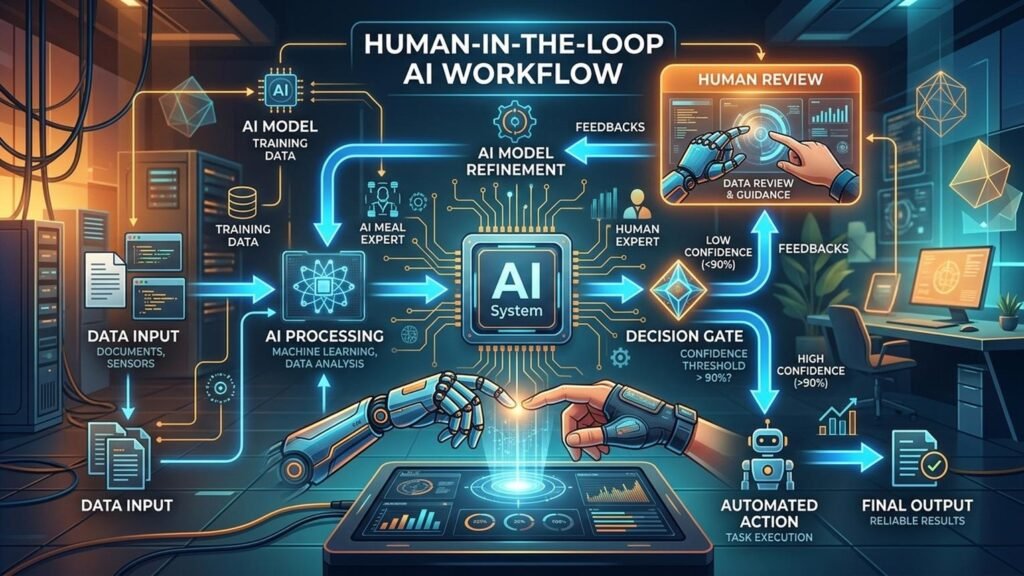
Instead of simply suggesting the next line of code, an agent can perform multi-step development tasks. GitHub describes AI agents as being more like peer programmers: they can work asynchronously on tasks such as running tests and addressing issues with less direct human intervention.
But developers still need to:
The developer becomes the orchestrator, while the AI agent becomes an execution partner.
Human vs. AI: Where Each Adds Value
Human and AI strengths in software development
Illustrative comparison of relative strengths, not measured productivity data.
Human developer
AI tools/agents
0255075100Business judgmentCode generationRepetitive tasksContext & accountability
Conceptual scores are for visualisation only.
The strongest model is therefore not replacing one with the other. It is combining their strengths.
The Future Developer
The developer of the future may write less repetitive code but spend more time on architecture, problem-solving, AI orchestration, security, testing, product thinking, and decision-making.
AI can accelerate implementation. Humans provide direction.
And that is why human developers still matter.
AI may write the code—but humans decide what should be built, why it matters, and whether it is good enough to ship.
The Rise of AI-Powered Development: Tools Developers Need to Know
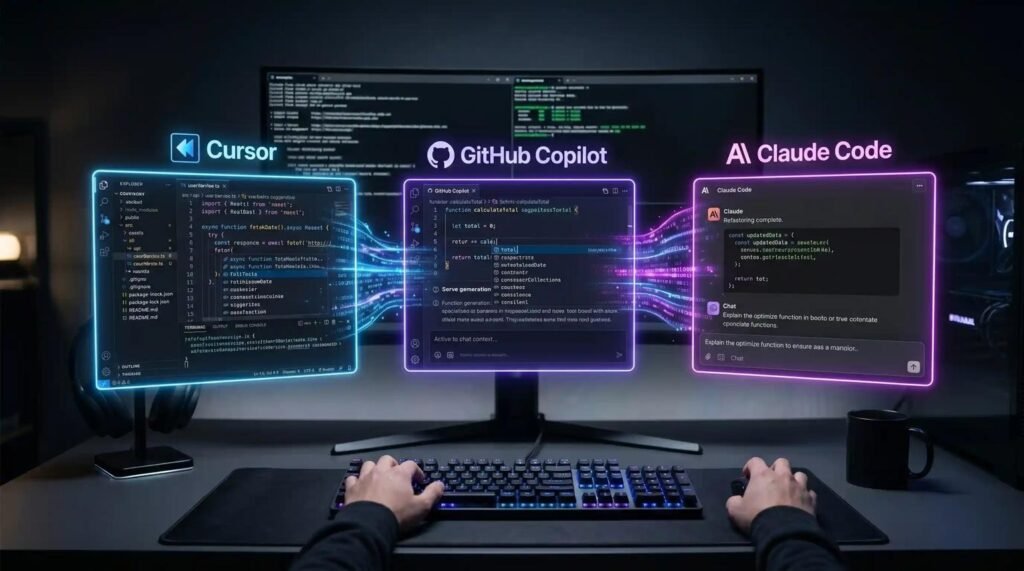
Software development is entering a new phase where AI is becoming part of the developer’s everyday toolkit. Modern AI coding tools can do far more than autocomplete code—they can understand repositories, suggest solutions, modify multiple files, run tests, and help developers complete complex tasks.
According to JetBrains’ 2026 Developer Ecosystem Survey, 90% of professional developers surveyed were using AI coding agents at work at least weekly, while 68% were using them daily.
1. GitHub Copilot
GitHub Copilot is one of the most established AI development platforms. It provides code suggestions, chat-based assistance, debugging support, and agentic development capabilities. Developers can use it directly within their existing IDE and GitHub workflow.
2. Cursor
Cursor is an AI-native code editor designed around AI-assisted programming. It can understand project context, make multi-file changes, and help developers work through larger coding tasks. Its agent capabilities make it useful for developers who want AI deeply integrated into the coding environment.
3. Claude Code
Claude Code takes an agent-first approach. An AI agent can inspect a codebase, edit files, execute commands, run tests, and iterate through a development task. This allows developers to delegate larger chunks of implementation instead of requesting individual lines of code. JetBrains’ 2026 survey reported Claude Code as the most widely adopted AI coding tool among surveyed professional developers.
AI Agents Are Changing the Developer Workflow
The biggest shift is moving from “AI suggests code” to “AI helps complete development tasks.”
A developer can define the goal, let an AI agent handle repetitive implementation, and then focus on architecture, security, testing, product requirements, and code review.
The winning workflow is becoming:
AI-powered development doesn’t remove the developer from the process—it makes the developer more capable. The key skill is no longer just writing code quickly, but knowing what to delegate to AI, how to guide it, and how to validate its output.
The Rise of AI-Powered Development: 6 Tools Developers Need to Know
AI-powered development is moving beyond simple code autocomplete. Modern platforms can understand project context, generate and modify code, run tests, identify bugs, and—increasingly—act as AI agents that complete multi-step development tasks.
1. GitHub Copilot — AI Pair Programmer
GitHub Copilot helps developers write code directly inside their IDE. It uses AI to analyse the code and surrounding context, then provides code suggestions, explanations, debugging assistance, and chat-based support.
Its Agent Mode can go further by analysing a task, proposing edits across multiple files, running tests, and helping validate the changes. This makes Copilot useful for both everyday coding and larger development workflows.
How AI works:
Developer prompt → AI understands context → Generates/edits code → Runs checks → Developer reviews.
2. Cursor — AI-Native Code Editor
Cursor is an AI-focused code editor designed around intelligent programming. Instead of treating AI as just an extension, Cursor integrates AI deeply into the development environment.
Developers can describe what they want in natural language, and AI can understand the repository, make changes across files, refactor code, and assist with debugging.
How AI works:
Prompt → Repository context → AI plans changes → Multi-file editing → Developer reviews.
This makes Cursor particularly useful for larger coding tasks where understanding the entire project matters.
3. Claude Code — AI Agent for Software Development
Claude Code works as an AI coding agent, particularly suited to developers who prefer terminal-based workflows.
Instead of asking for individual lines of code, developers can give Claude Code a broader objective. The agent can inspect a codebase, edit files, execute commands, run tests, and iterate on its work.
Example:
“Find why the login tests are failing, fix the issue, and run the test suite again.”
The AI agent can work through multiple steps while the developer supervises the process.
4. Amazon Q Developer — AI for AWS Development
Amazon Q Developer is designed for developers working with AWS and modern software projects. It can generate code, understand project context, troubleshoot problems, assist with security, and work with AWS services.
Its agentic coding experience can read and write files, execute commands, create code changes, and run tests. Developers can describe a feature and allow the AI agent to create an implementation plan before approving the changes.
How AI works:
Requirement → Codebase analysis → Implementation plan → Code changes → Testing.
5. Gemini Code Assist — AI Inside the Developer Workflow
Gemini Code Assist brings Google’s AI capabilities into software development. It can help with code generation, explanations, debugging, documentation, and development questions.
For developers working with Google Cloud, it can also provide assistance that connects coding tasks with cloud services and infrastructure.
How AI works:
Developer asks → AI analyses code/context → Suggests solution → Developer accepts, modifies, or rejects it.
6. Replit Agent — Build Apps with Natural Language
Replit focuses on making application development accessible through natural-language instructions. A developer can describe an application or feature, and the AI agent can help create the project, generate code, test functionality, and iterate based on feedback.
This is particularly useful for rapid prototyping and MVP development, where speed from idea to working application is important.
How AI works:
Idea → Natural-language prompt → AI creates application → Test & iterate → Deploy.
The Bigger Picture
These platforms demonstrate the evolution from AI coding assistants → AI coding agents. The developer is increasingly becoming the person who defines the objective, provides context, reviews AI-generated work, and makes the final technical decisions.
AI writes faster. AI agents execute more. Human developers provide the judgment.
AI coding tools developers are using or considering